February 3, 2026
Software TipsFlorist POS Systems Compared: What Matters
Not all POS systems work for florists. Here is what to look for, and how to make the right choice for your flower shop.
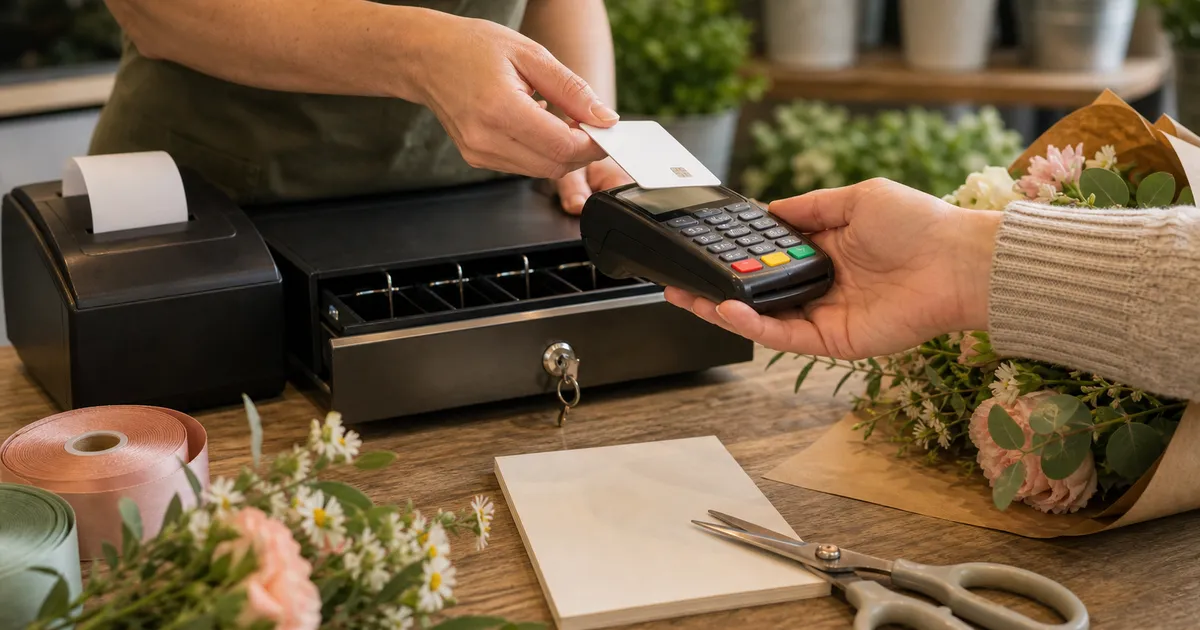
Software demos are all the same, aren't they? Slick dashboards, a salesperson who won't stop talking, and a features list longer than your arm. You sit there nodding, half-convinced this might be the answer to all your problems.
Then you try entering a funeral order. Three delivery locations, a tight time window, a card message the sender rewrote four times over the phone. Suddenly the whole thing grinds to a halt.
That's because most POS systems weren't designed with florists in mind. Not even close. They were built for straightforward retail. Customer grabs item off shelf, taps their card, walks out. Our world doesn't work like that.
Why Generic POS Systems Fail Florists
Think about what happens when someone rings up to order flowers:
- The person paying isn't the person receiving. Almost never
- The product? It doesn't exist yet. Somebody has to make it up
- Delivery means an address, a date, a time window, and probably some fiddly special instructions
- There's a card message that needs to be captured word-for-word
- One customer might have six recipients who all want completely different things
- Payment could be right now, three weeks from now, or a deposit-then-balance situation
Generic retail software can't handle any of that. It assumes one person, one product, done. Florists need a POS built for flower shops that understands the way their shops run day to day.
Features That Matter
Right. When you're sitting through demos, these are the things worth paying real attention to.
Sender vs. Recipient Handling
This is the big one. Honestly, if a system can't separate the person paying from the person getting the flowers, everything else is moot. It needs to store both, link them together, and make it stupidly easy to pull up a recipient for a future order.
Here's a test you should run in every single demo: "Show me how you'd handle a customer ordering for their mum's birthday, and then ordering for the same mum next year." If there's any fumbling, you've got your answer. Move on.
Delivery Scheduling
We don't only sell things. We promise them at specific times. Your POS has to handle:
- Delivery dates, not only "today"
- Time windows like morning, afternoon, or a particular slot
- Zones with different delivery charges
- Storing and validating addresses properly
- Special instructions ("ring the bell twice, the dog barks but won't bite")
Any system that bolts delivery on as an afterthought will cause you grief every single day. Guaranteed.
Card Message Capture
People agonise over card messages. Every word matters to them.
Get one wrong and you'll hear about it for weeks. Your POS needs to capture messages clearly, show them front and centre during production, and print them without mangling the formatting. Character limits that match your actual card sizes? Helpful. Built-in spell check? Even better.
Wire Service Integration
If you're filling relay orders from Interflora, Direct2Florist, or another wire service, you need those orders flowing straight into your system for the workroom. Direct2Florist accept, reject and quote actions happen inside Digital Florists. Interflora acceptance and status updates still happen in Interflora Connect as normal. Nobody should be sat there retyping fulfilment details from one screen to another. That's asking for mistakes.
Ask vendors directly: "Which wire services do you integrate with, and how exactly do the orders come through?" Don't let them waffle.
Production Workflow
Orders have to be made before they go anywhere. Good florist POS systems give you proper production tools:
- A queue showing what needs making and when it's due out
- Designer assignments so people know their workload
- Status tracking: ordered, in production, ready, out for delivery
- Design notes your team can see while they're working in the workroom
Without this you'll end up papering over the gaps with whiteboards, scribbled tickets, and a healthy dose of chaos. Probably all three at once.
Customer History and CRM
Every order should be building your customer database in the background. When Mrs. Jones phones, you should instantly see her order history, her usual recipients, any notes about what she likes. The lot.
This isn't some nice extra. Customer relationships are the backbone of every florist business, and your POS should be actively strengthening them.
Flexible Payment Options
Florist payment scenarios would baffle most retail software:
- Wedding deposits taken months in advance
- Balance payments trickling in weeks later
- Corporate accounts on monthly invoicing
- Someone paying half on card, half in cash
- Refunds, credits, and adjustments that happen more often than you'd like
Run through every one of these during the demo. Plenty of systems that look gorgeous for a simple walk-in sale completely fall apart when payments get even slightly complicated.
Features That Do Not Matter (But Vendors Push)
Vendors love showing off flashy stuff that won't help you sell a single extra bouquet.
AI-Powered Recommendations
"Our system uses AI to suggest products!" Great. Except your customers want to talk to a real person who knows their flowers, not get served up algorithmic guesses. AI might eventually do something useful for stock forecasting, but it's absolutely not a reason to pick one POS over another. Not yet.
Elaborate Loyalty Programmes
Points, tiers, gamification. It all sounds very exciting in a demo room. In the real world? Florists need simple loyalty tracking. Who's spending regularly, who deserves a thank-you, what do they tend to order. Anything fancier than that gathers dust.
Social Media Integration
"Post directly to Instagram from the POS!" Why would you ever want to do that? Your POS is for taking orders. Keep it that way.
Hundreds of Reports
More reports doesn't mean more insight. You need maybe five or six you'll genuinely look at: daily sales, product performance, customer value, delivery efficiency. Fifty reports nobody ever opens add clutter and confusion.
Mobile App for Customers
Look, people order flowers a few times a year. Birthdays, anniversaries, the occasional apology. Nobody, and I mean nobody, is downloading a dedicated app for that. Put the energy into having a decent website instead.
Questions to Ask in Demos
Go in loaded. Don't wing it.
Workflow Questions
- "Walk me through a phone order, start to finish."
- "I've got a funeral with three separate delivery addresses. How would that work?"
- "Show me what happens when a repeat customer rings."
- "What does my designer see on their screen while they're making something up?"
- "It's Saturday morning, I've got 50 deliveries to get out. Show me how I'd manage that."
Integration Questions
- "Which relay services integrate automatically?"
- "If someone orders through my website, how does that order show up in here?"
- "What payment processors do you support?"
- "Can I easily get my data across to my accountant?"
Support Questions
- "It's 5pm on Valentine's Day and something's broken. What happens?"
- "How frequently do updates go out?"
- "Can you put me in touch with other florists using this?"
- "What does onboarding really look like? Be specific."
Commercial Questions
- "Give me the total price: hardware, training, extras, everything."
- "Am I locked into a contract, or is this month-to-month?"
- "If I decide to leave, what happens to all my data?"
Red Flags When Evaluating
Keep your wits about you. Watch for these.
No Florist-Specific Features
If the vendor can't clearly explain how they handle sender/recipient, card messages, and delivery scheduling, they don't understand your business. Walk away. Seriously.
No Reference Customers
Any decent vendor will happily put you in touch with existing florist customers. If they dodge that request? That tells you everything you need to know.
Aggressive Sales Tactics
"This price is only available today." "We're putting rates up next month." "Sign now and we'll knock 20% off." Run. Good software doesn't need high-pressure tactics to get people to buy it.
Vague Answers About Data
Your customer data is incredibly valuable. If a vendor gets cagey when you ask how you'd export it, or what happens to it if you leave, proceed with extreme caution. That's a massive red flag.
Long Contracts
Annual contracts with sneaky auto-renewal clauses exist for one reason: to lock you in. Good software earns your loyalty month by month. Always push for month-to-month terms.
Hidden Costs
"Oh, that module is an add-on." "Training costs extra." "The integration fee is £500." Get the full, itemised price in writing before you put pen to paper. No exceptions.
Price vs. Value
Florist POS systems range from roughly £50 a month up to £500 a month. The price tag on its own tells you almost nothing.
What matters is what that money gets you:
- Hours clawed back on order entry and admin
- Fewer mistakes because the workflow guides you through things
- Better customer relationships through proper CRM
- More efficient deliveries when routing is baked in
- Reports you'll genuinely use, not look at once and forget
A system costing £200 a month that saves you two hours every day is far better value than one at £50 that creates extra work. Do the maths. Factor in what your time is genuinely worth.
Making the Final Decision
You've sat through the demos. You've grilled the salespeople. Now what?
Trust Your Gut
If the software felt clunky during the demo, it'll feel clunky every single day. You're going to live in this system. It should feel natural, not like wrestling a bear.
Prioritise the Basics
Fancy features mean nothing if basic order entry is slow and clumsy. Focus on the things you'll do a hundred times a day, not the edge cases that pop up once a month.
Talk to Real Users
Vendor-supplied references will always be glowing. That's literally the point. Search online, ask around in florist Facebook groups, find the unfiltered opinions. They're out there.
Plan for Growth
Pick something that grows with your business. Opening a second shop, hiring new staff, doubling your Christmas order volume. None of that should mean starting from scratch with new software.
Test Before Committing
Most vendors offer trials. Use them properly. Put real orders through. Run your worst-case scenarios. See how the system handles your business, not some made-up demo version of it.
So What's the Verdict?
The right POS system keeps your flower shop running smoothly. The wrong one bleeds your time, your patience, and your money, day after day after day.
Don't get hypnotised by feature lists. Sender/recipient handling, delivery scheduling, card messages, production workflow, customer management. That's what matters. Everything else is window dressing.
Take your time with this decision. Ask the awkward questions. Talk to other florists who've been through it, not the ones the vendor hand-picked. Whatever you choose, you'll be living with it for years, so make sure it genuinely fits how you work.
Want to see a POS built specifically for florists? Book a demo with Digital Florists and put your own worst-case orders through it.
Written by
Digital Florists Team


See it in your shop
Book a demo and we'll walk through Digital Florists with your shop in mind.
After the demo, choose whether and when we set up your 30-day no-card trial.